HotelQR Billing Dispenser is the low-cost way to stop shouting orders across the kitchen and stop writing bills by hand — without switching to full QR ordering yet. Your waiter takes the order, the kitchen gets a printed ticket instantly, and reception prints the bill the moment you tap Collect Amount.
Wall-mounted, WiFi-connected thermal printers — the only new hardware you need. Each is labelled for its property and its role, so there's never any confusion in a busy kitchen.
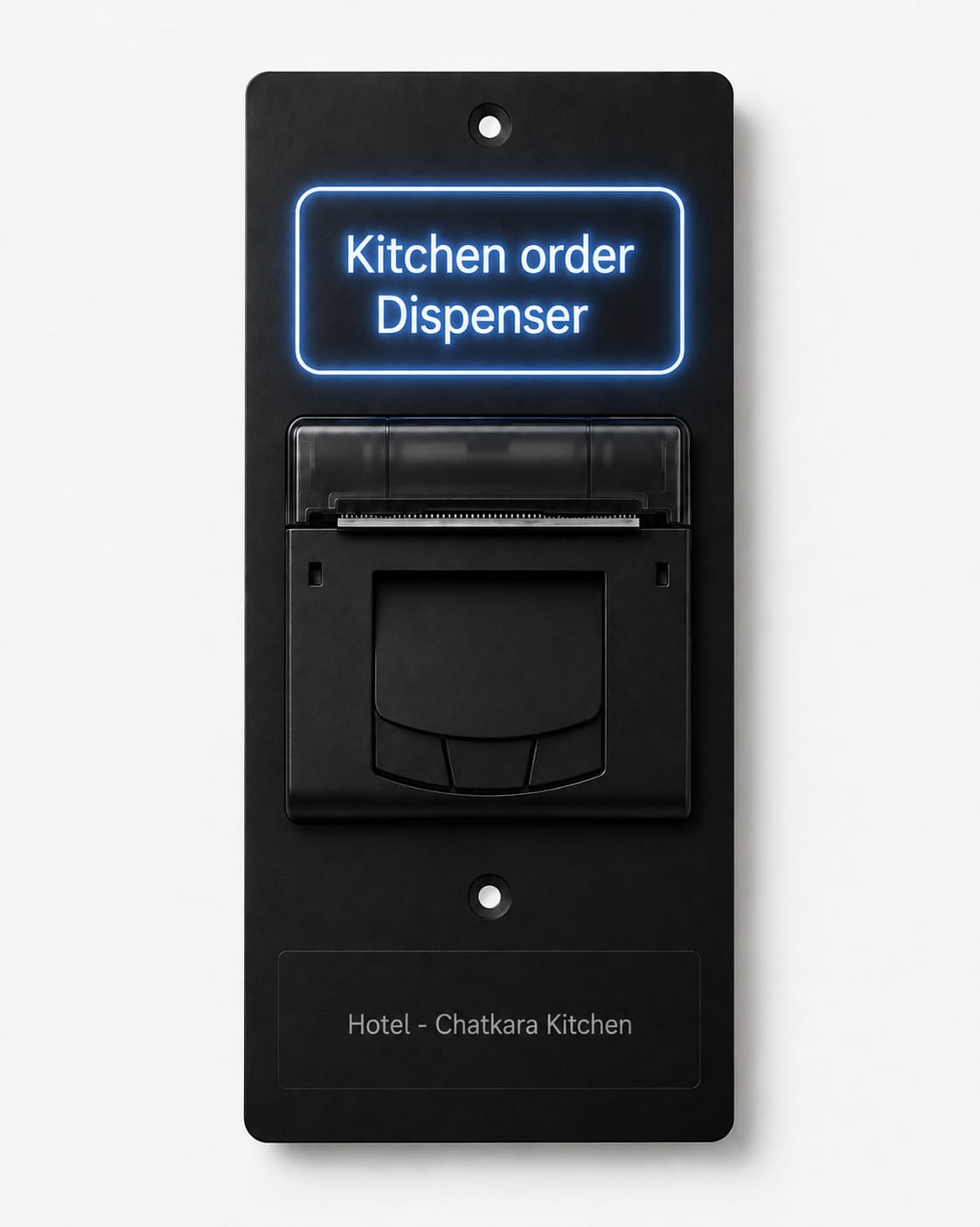
Mounts by the pass. Prints table number and items the moment a waiter sends the order — no prices, ever.
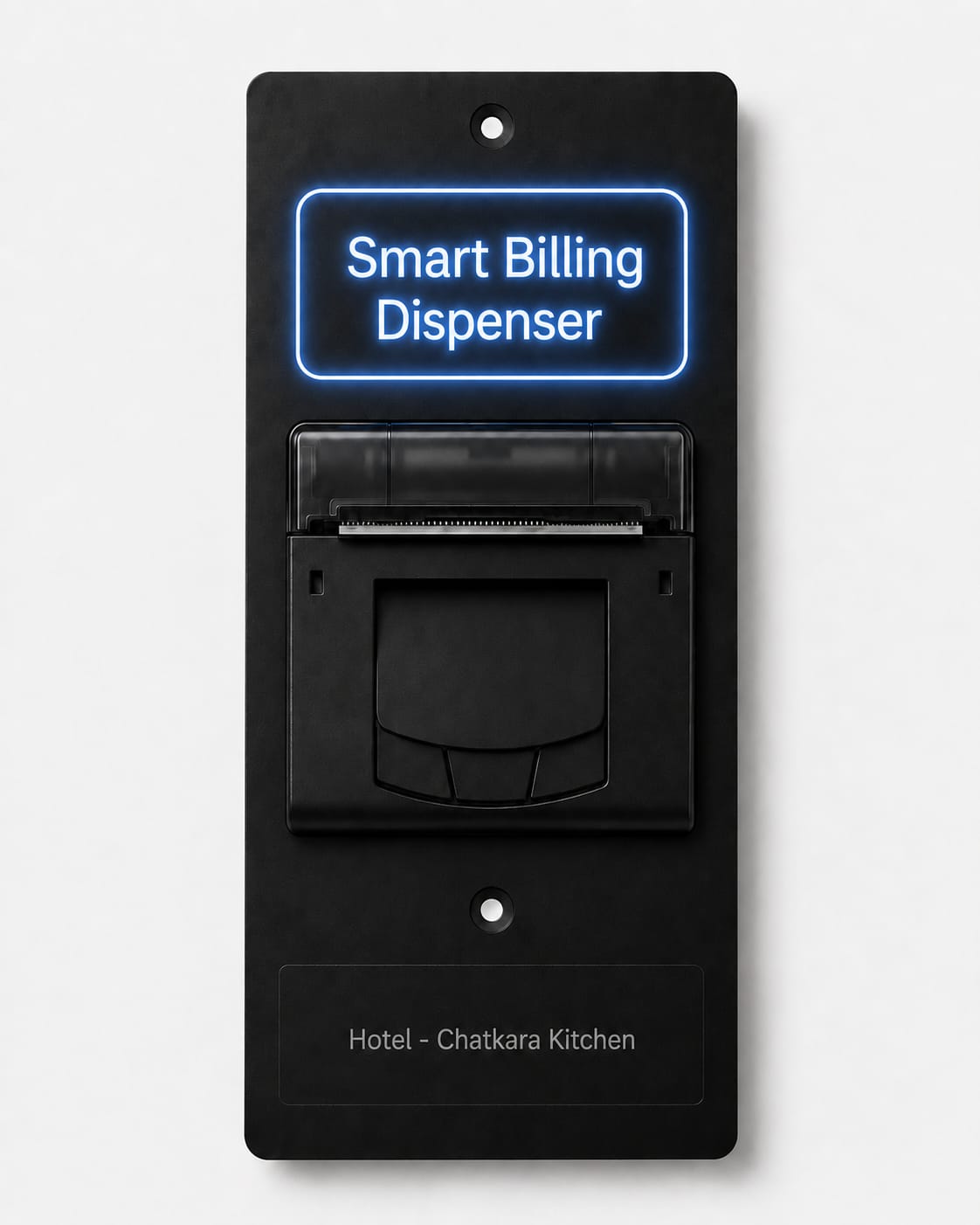
Mounts at the counter. Prints the itemised bill the instant admin taps Collect Amount on the live order screen.
Built for the way small restaurant service actually runs — waiters moving fast, cooks working from a ticket, reception settling up when the guest is ready.
From the HotelQR waiter app at the table — no more relaying orders by memory or shouting across the room.
Table number and items print instantly in the kitchen — no prices, just what to cook and for whom.
Waiters pass through the kitchen every few minutes anyway — the printed ticket is how any of them knows what's ready and for which table.
When the guest is ready to pay, admin presses one button on the live order screen — the itemised bill prints at reception.
Waiter carries the printed bill to the table, collects payment, table is marked free.
Most cheap kitchen printers are Bluetooth, single-purpose, and disconnected from any order system. This one isn't.
Mount it anywhere on your floor's WiFi — not limited to a few metres from a phone like Bluetooth kitchen printers.
Prints straight from the order a waiter actually placed in the app — not a manual re-type at a separate till.
Kitchen tickets show items and table only. The bill — with prices — only ever prints at reception.
The kitchen and reception printers can relay to each other over ESP-NOW as a reliability layer on your local WiFi.
Same account, same login. When you're ready for guests to scan and order themselves, it's a plan upgrade, not a new setup.
₹4,500 per printer (MRP ₹8,500) — no leasing, no hidden activation fee. GST, shipping and installation are billed separately. You own the hardware from day one.
Every property needs exactly two printers — one kitchen, one reception — regardless of size. Software is free for the first year.
Most properties need exactly 2 — total hardware typically ₹9,000 at launch price, once.
+ GST, shipping & installation extra
After year one:
| Tables | Monthly (+18% GST) |
|---|---|
| Up to 5 | ₹300 + GST |
| 10 | ₹500 + GST |
| 20 | ₹1,000 + GST |
Whichever is higher — ₹300/month, or ₹50 per table. No cliff, no surprise jump.
Waiter-taken orders, printed kitchen tickets, printed bills. The lowest-cost way to digitise service without changing how guests order.
Guests scan a QR at the table and order from their own phone — live kitchen display, waiter app, UPI payments, analytics. See the full product →
Two — one in the kitchen for order tickets, one at reception for bills. That's true whether you have 5 tables or 50.
The printers need a working WiFi connection to receive each print job from the cloud. There's no local-only mode for taking orders — the waiter app and printers both depend on connectivity, same as any cloud POS.
Yes. Billing Dispenser runs on the same HotelQR account. When you're ready for guests to scan and order from their own phones, it's a plan change on your existing account — no new signup, no data migration.
Whichever is higher: ₹300/month or ₹50 per table per month, plus 18% GST. A 5-table restaurant pays the ₹300 floor; a 20-table restaurant pays ₹1,000 plus GST.
You get a 30-day grace period with reminders in the app before printing pauses. If you need more time, you can request an extension — we'd rather work with you than lose you as a customer.
Billing Dispenser hardware is in final development. Reach out now to be first in line and lock in early-access pricing.
Fastest response — tell us your table count and we'll walk you through setup.
Chat on WhatsAppTalk to us about adding Billing Dispenser printers to your existing account.
Open Admin Panel